- SOLARWATT Battery & Inverter vision
- Commissioning
- Setting up an Inverter vision one cluster
Setting up an Inverter vision one cluster
This page describes the settings required on the Inverter vision one devices for commissioning a single-phase cluster system.
Configuring Parallel mode
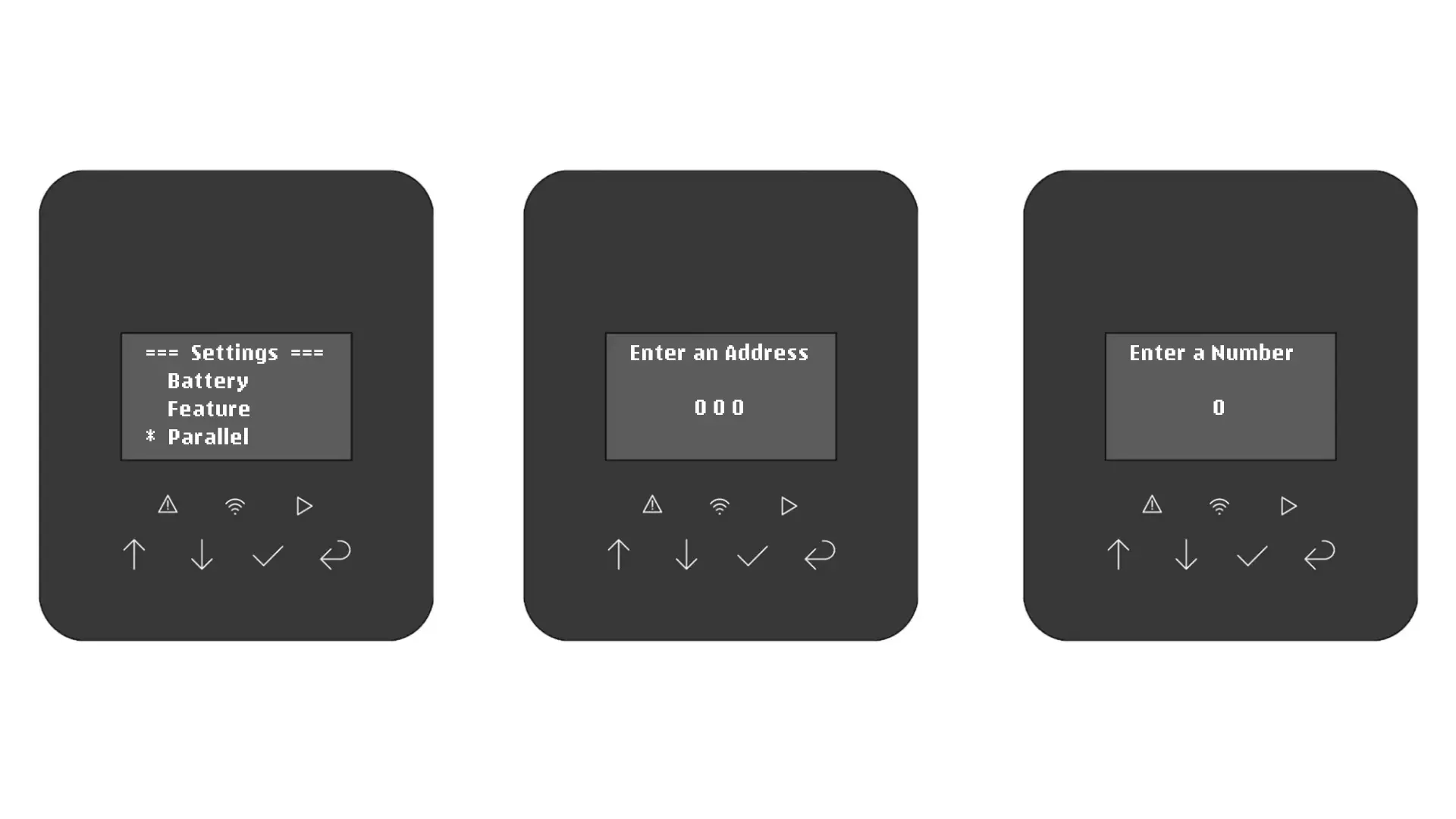
On each inverter, enable parallel mode by assigning each inverter an address and specifying the number of inverters in the cluster.
- On each inverter, navigate to Settings → Parallel
- When prompted to 'Enter an Address,' enter:
- 001 (on the master inverter)
- 002 (on Inverter #2)
- 003 (on Inverter #3, if present)
- When prompted to 'Enter a Number,' enter the number of inverters in the cluster (2 or 3)
Disabling Meter/CT on Inverter #2 & #3
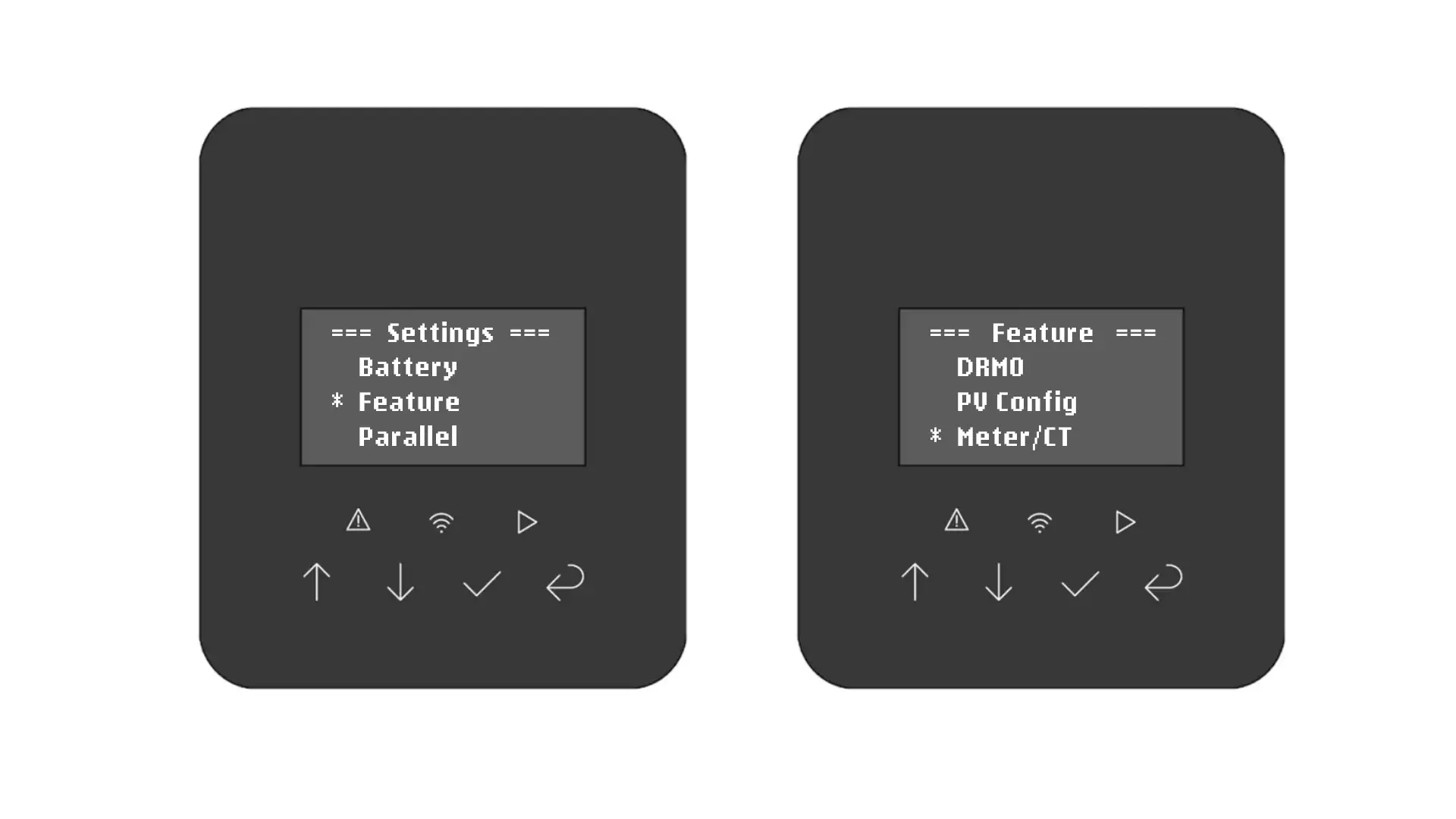
On Inverter #2 and Inverter #3 (but NOT the 'master' inverter), we need to disable the Meter/CT setting, since only the 'master' has a meter connected.
- On Inverter #2 and #3, navigate to Settings → Feature → Meter/CT
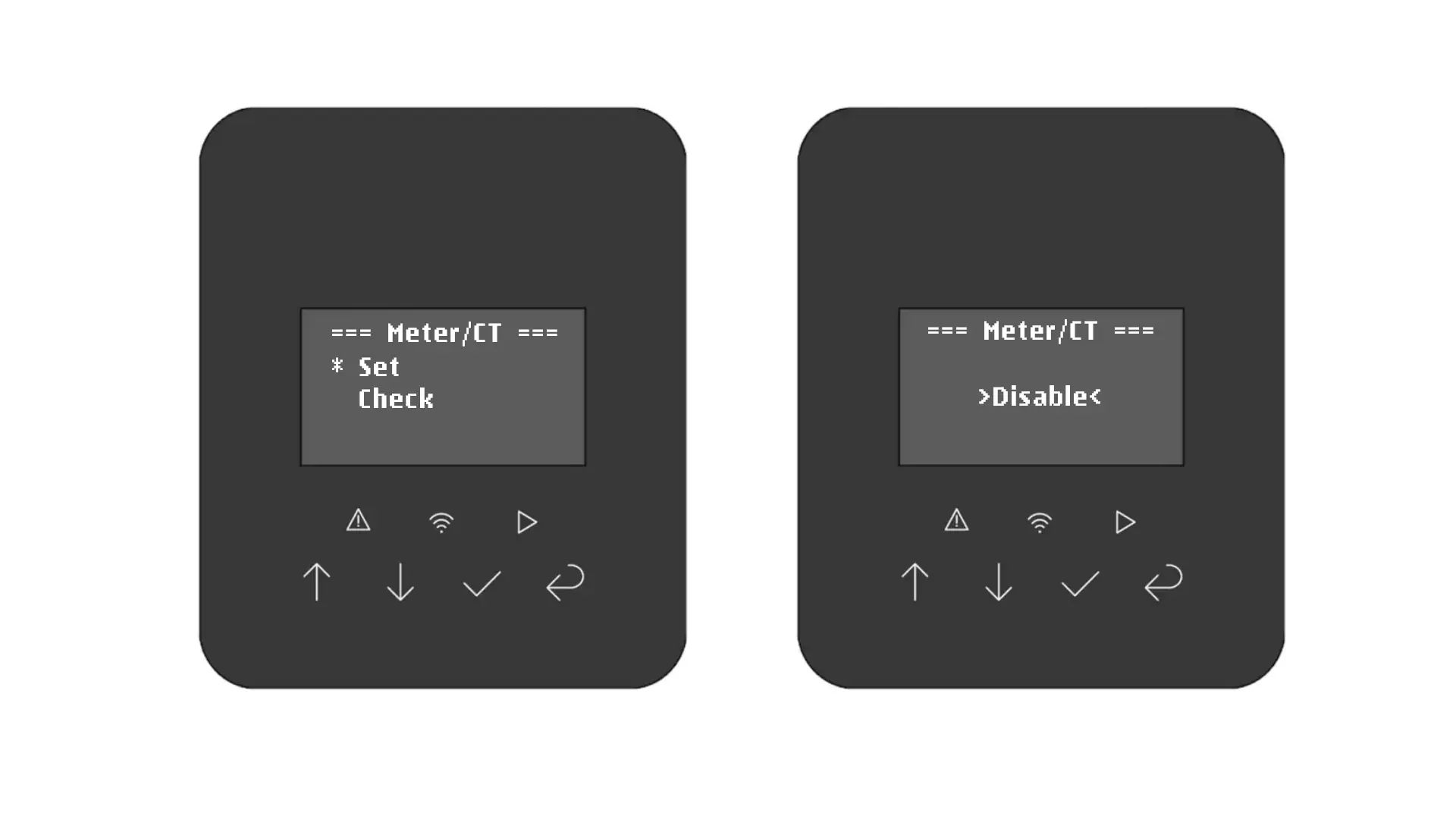
- In the 'Meter/CT' menu, choose 'Set'
- Use the Up/Down arrows until 'Disable' is shown as selected on-screen
- Then, press the check button to confirm your setting change
Finally, don't forget to switch each inverter to ON mode by holding the checkmark down for 3 seconds and pressing it again when 'Start/Stop?' is displayed.