- SOLARWATT Battery & Inverter vision
- Operation
- Battery vision backup booster
Battery vision backup booster
This page describes the functions and setting options of the Battery vision backup booster during operation.
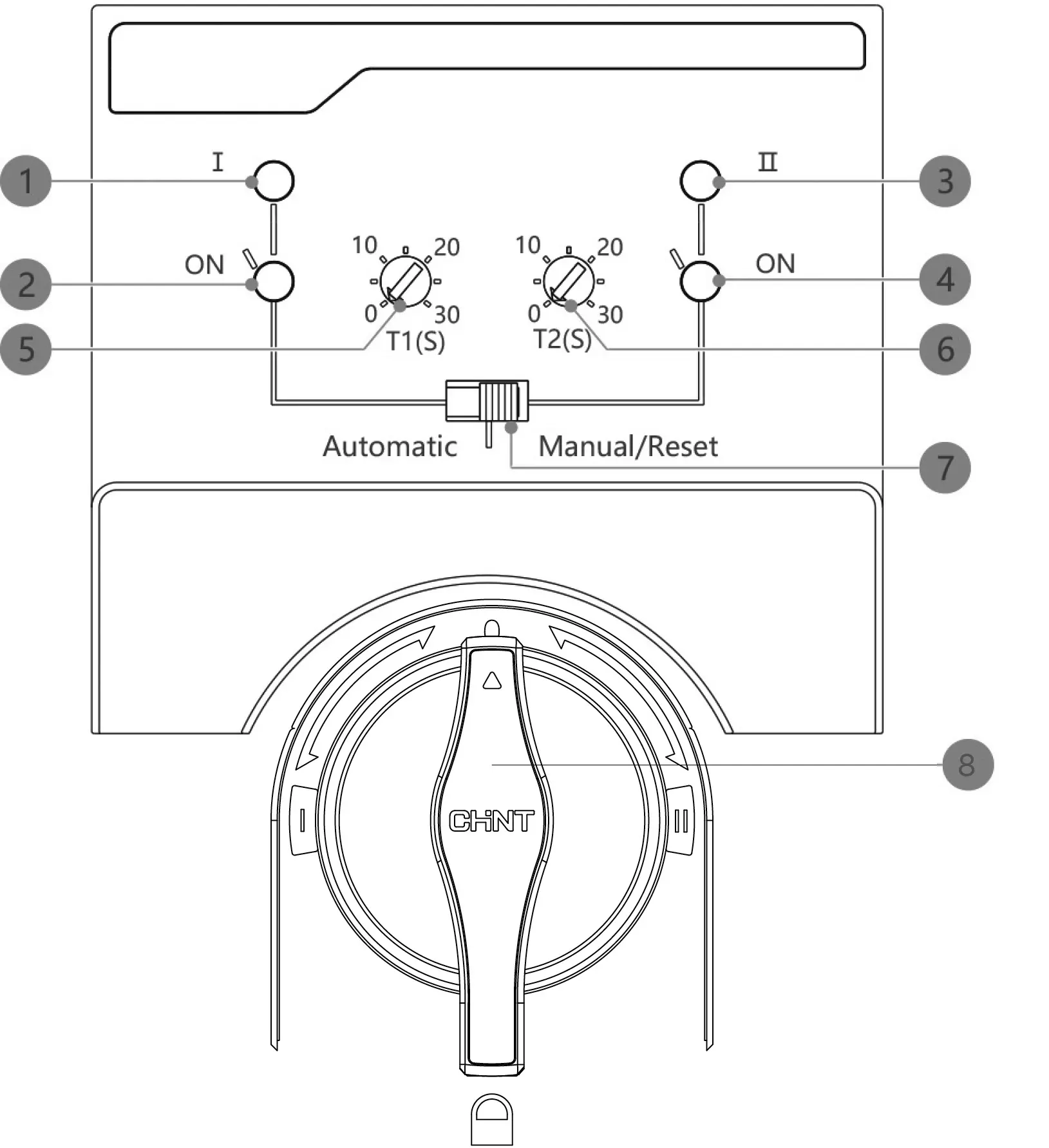
Mains 0 emergency power changeover switch
1 | Display for: Grid side voltage | LED lights up red |
2 | Indicator for: Power supply from the public grid | LED lights up green Switch position left |
3 | Display for: Voltage in the backup path | LED lights up red |
4 | Indicator for: Backup power supply | LED lights up green Switch position right |
5 | Setting the switchover delay time for switching from mains-coupled mode to Backup mode | |
6 | Setting the return delay time for switching from Backup mode to mains-coupled mode | |
7 | automatic/manual switchover | |
8 | Changeover switch between power supply from the public grid and Backup mode | |
Test Backup mode
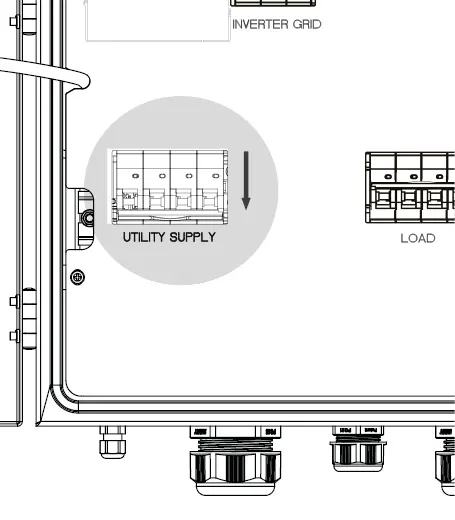
- Switch off the Utility supply circuit breaker
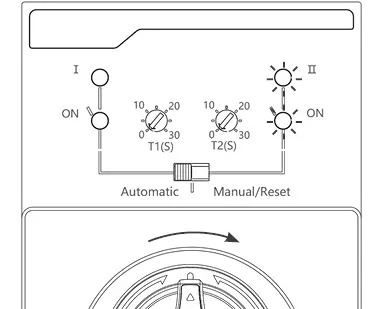
The switch turns to the right, the LEDs for grid side voltage and power supply from the public grid (both on the left) go out.
The LED for emergency power supply lights up green.
Consumers connected to "Load" continue to be supplied.
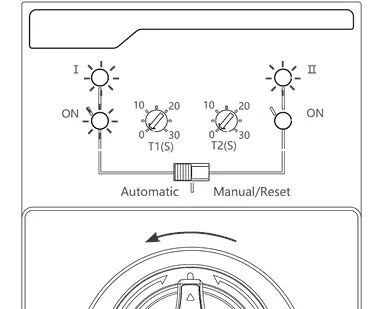
- Switch on the utility supply circuit breaker
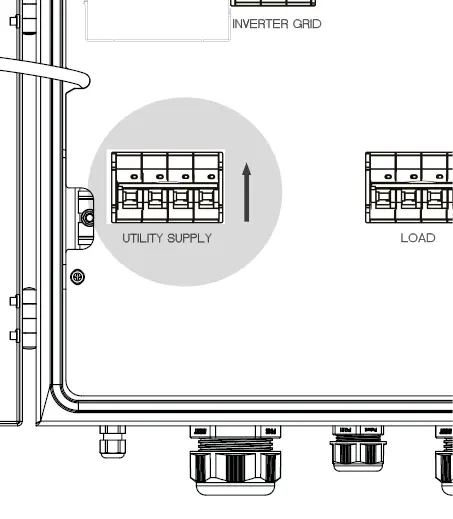
The switch turns to the left. The LEDs for grid side voltage and power supply from the public grid light up (one red, the other green).
The LED for the emergency power supply goes out.
All consumers are supplied.