- SOLARWATT Battery & Inverter vision
- Installation
- Installing an Inverter vision one cluster
Installing an Inverter vision one cluster
SOLARWATT Inverter vision one can be set up as a cluster, where up to 3 single-phase inverters (of varying power classes) will operate as a single parallel system.
Installing the inverters
Before setting up the inverters to operate in parallel, first install the inverters as you would do normally in accordance with the installation instructions. Please note:
- Each inverter must have an internet connection, preferably LAN
(we recommend installing a network switch next to the inverters rather than running three separate cables back to the internet router) - However, only install one of the included CHINT meters, wiring it to the first of the three inverters (which will be the 'master' inverter)
Connecting the inverters with CAT7
- Look for the 'CLUSTER' panel on the bottom of each inverter. This panel contains 'OUT', 'IN' and 'DRM' ports.
- Connect Cat7 cable to the OUT port of the 'master' inverter to the IN port on the CLUSTER panel of Inverter #2
- (If installing with three inverters) Connect Ca7 cable from the OUT port of Inverter #2 to the IN port of Inverter #3
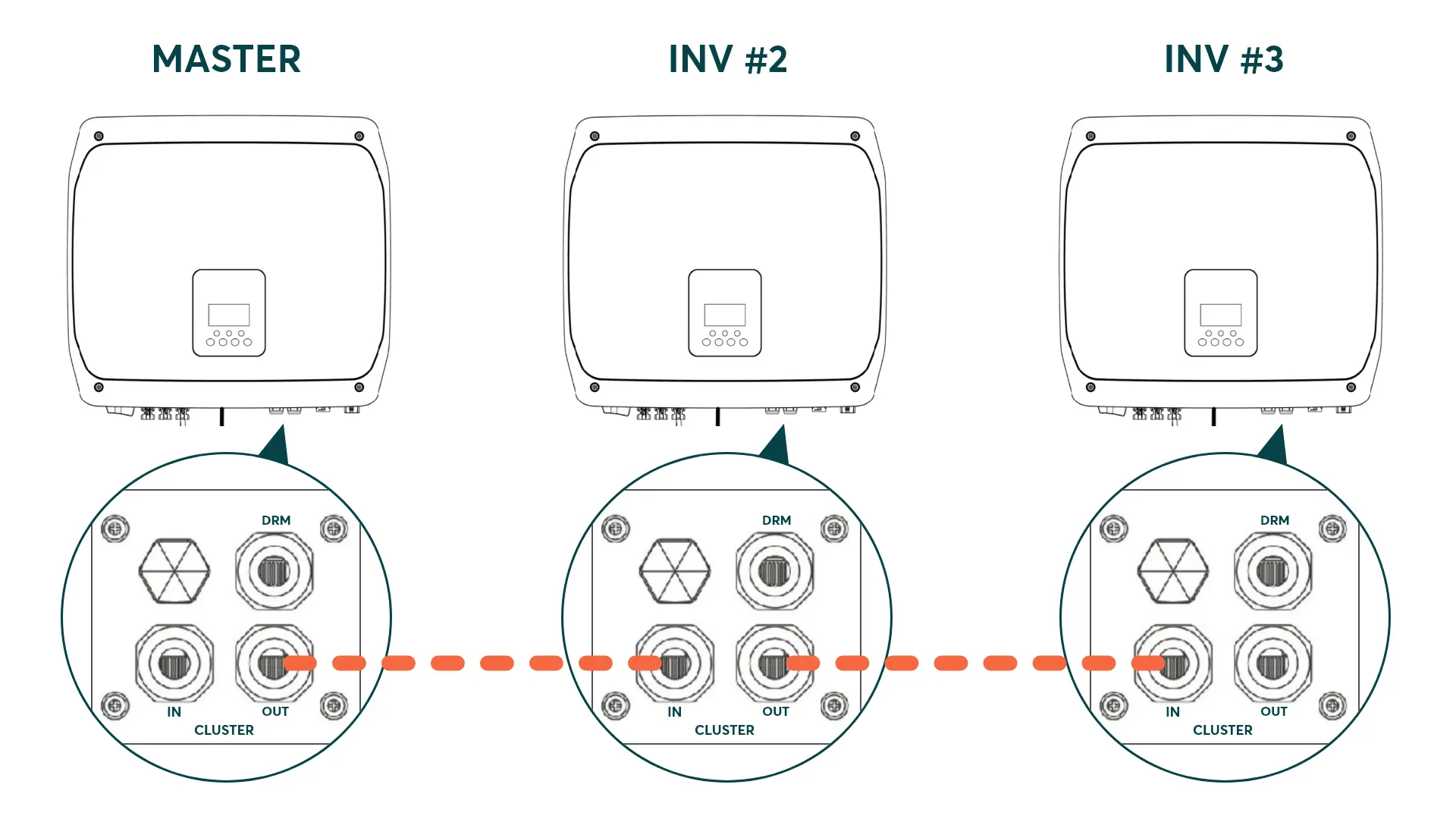
Setting the master inverter's DIP switches
- Remove the CLUSTER panel cover from the master inverter.
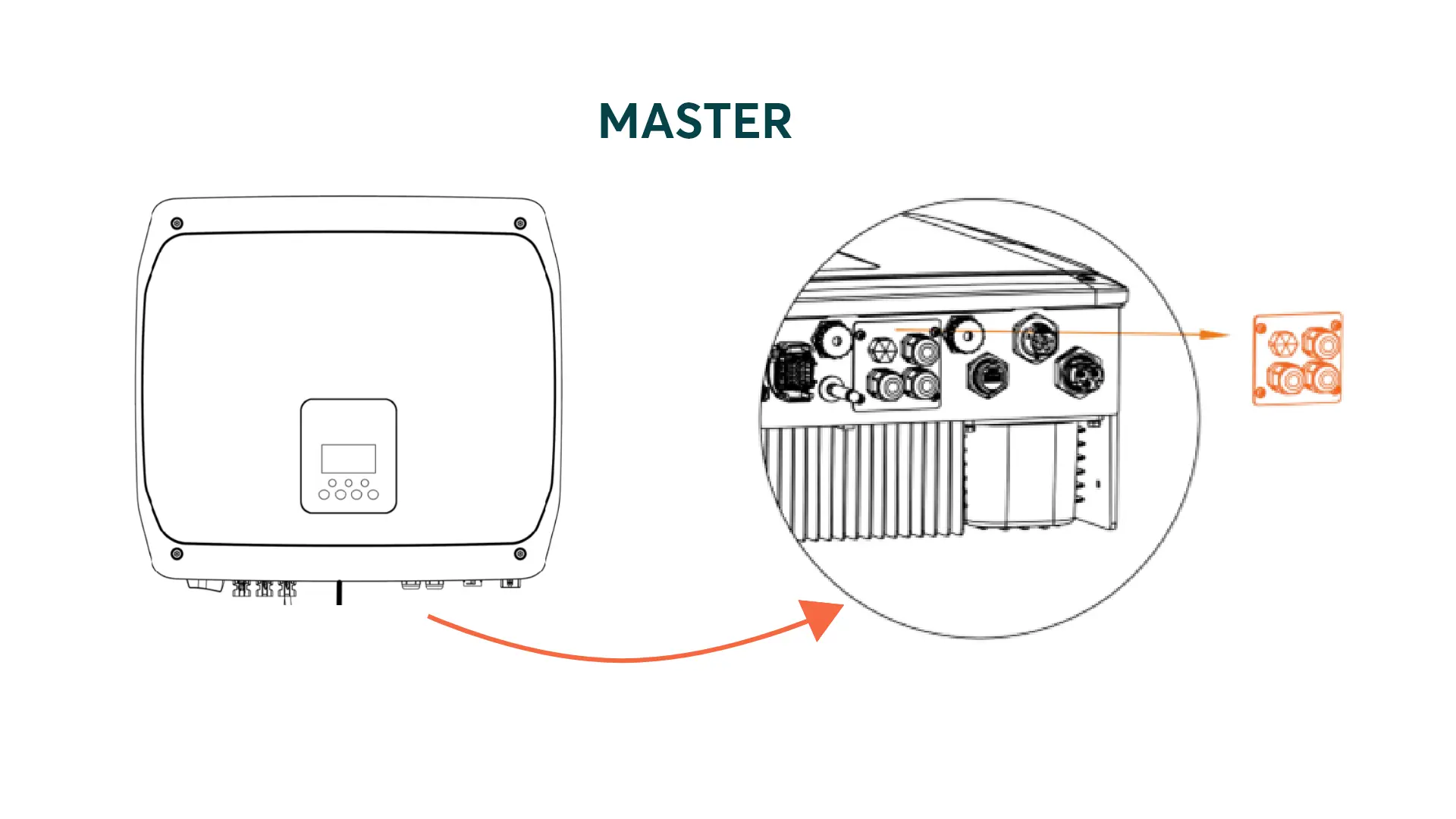
- Look for the DIP switches labelled 1 / 2 / 3 /4 under the CLUSTER panel cover of the master inverter
- Use a pair of tweezers to set DIP switches 1 & 2 to ON
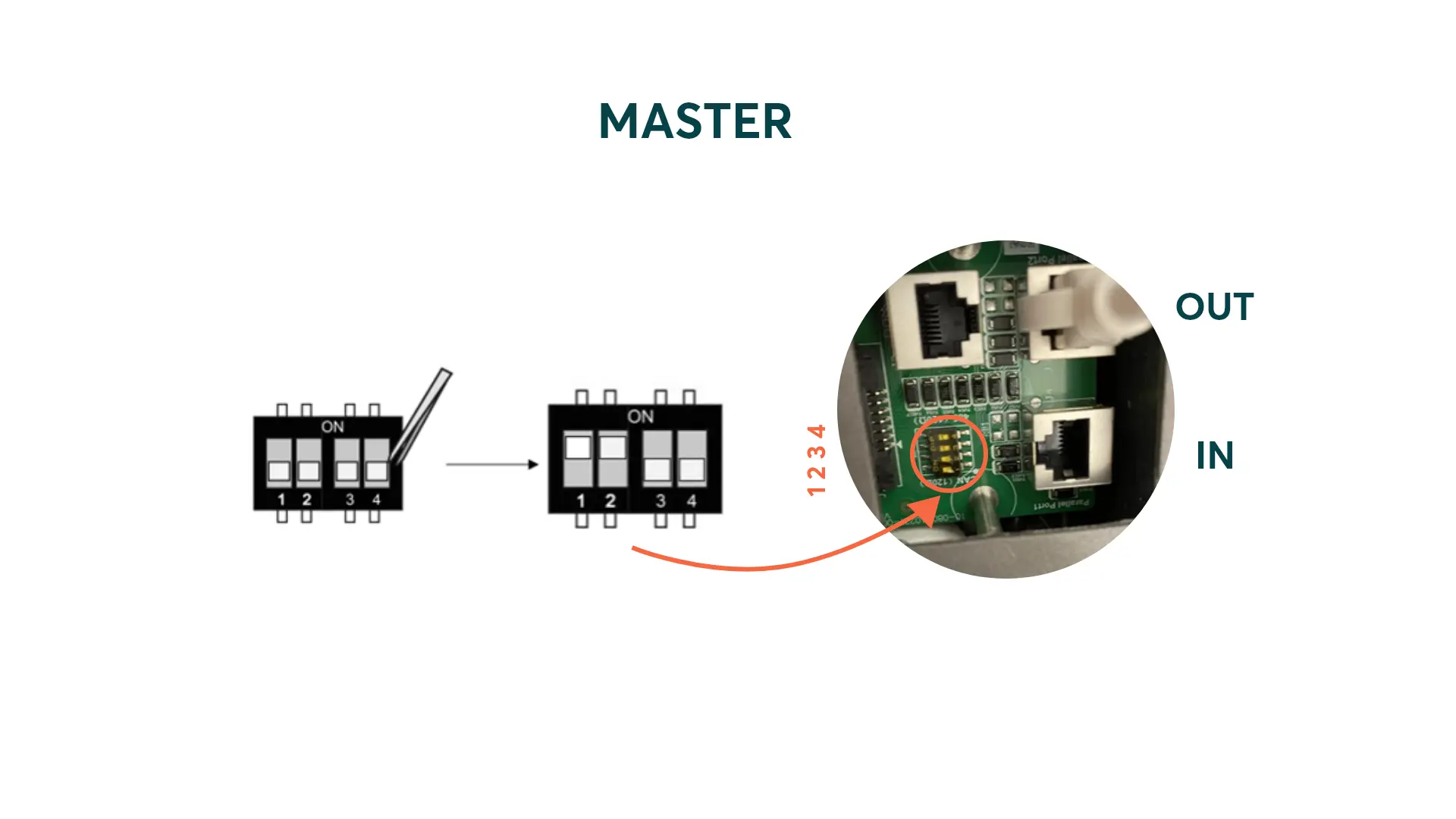
- Re-install the CLUSTER panel cover.
- The Inverter cluster should now look like this:
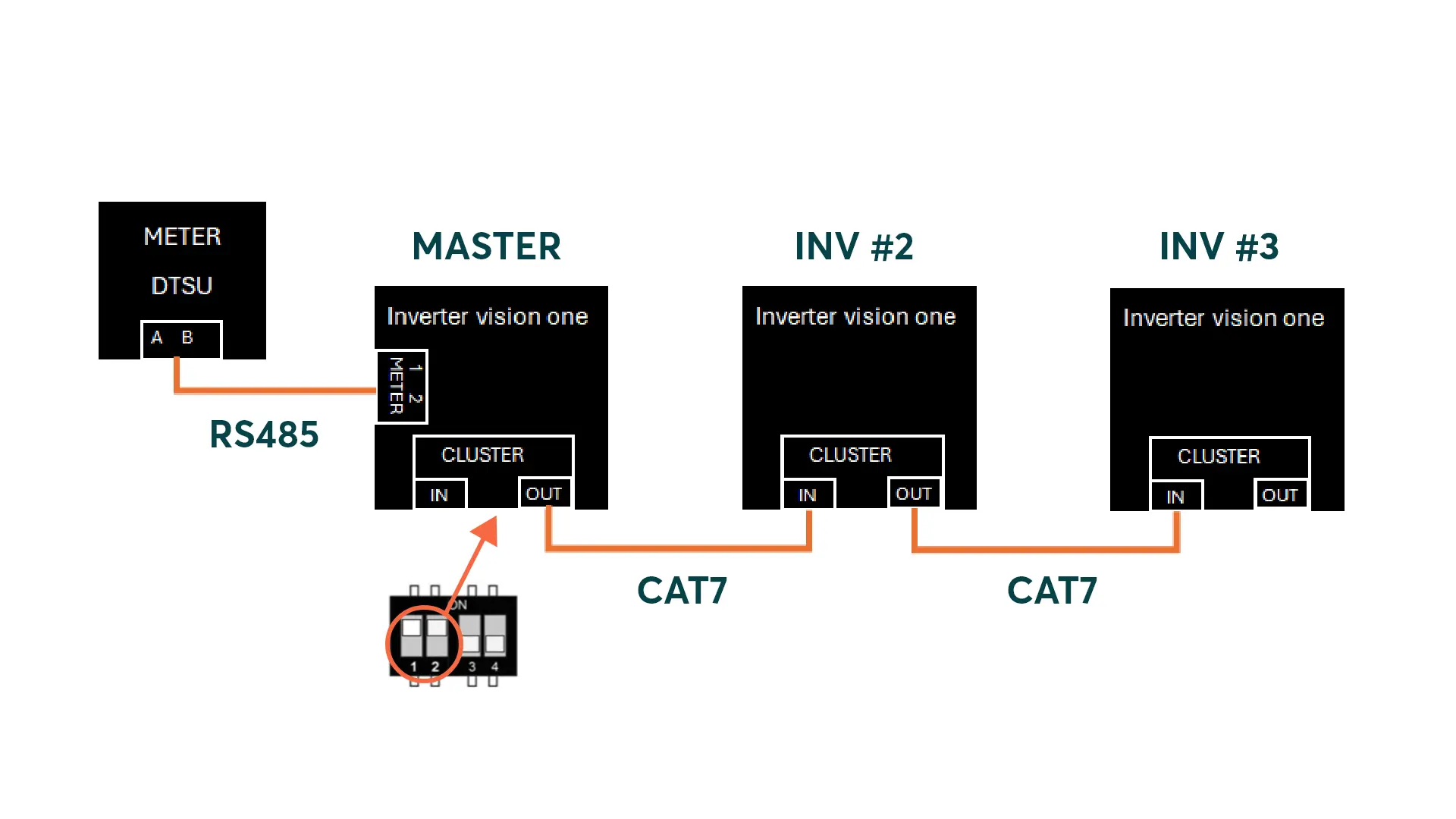
Commissioning an Inverter vision one cluster
See section Setting up an Inverter vision one cluster for commissioning instructions.